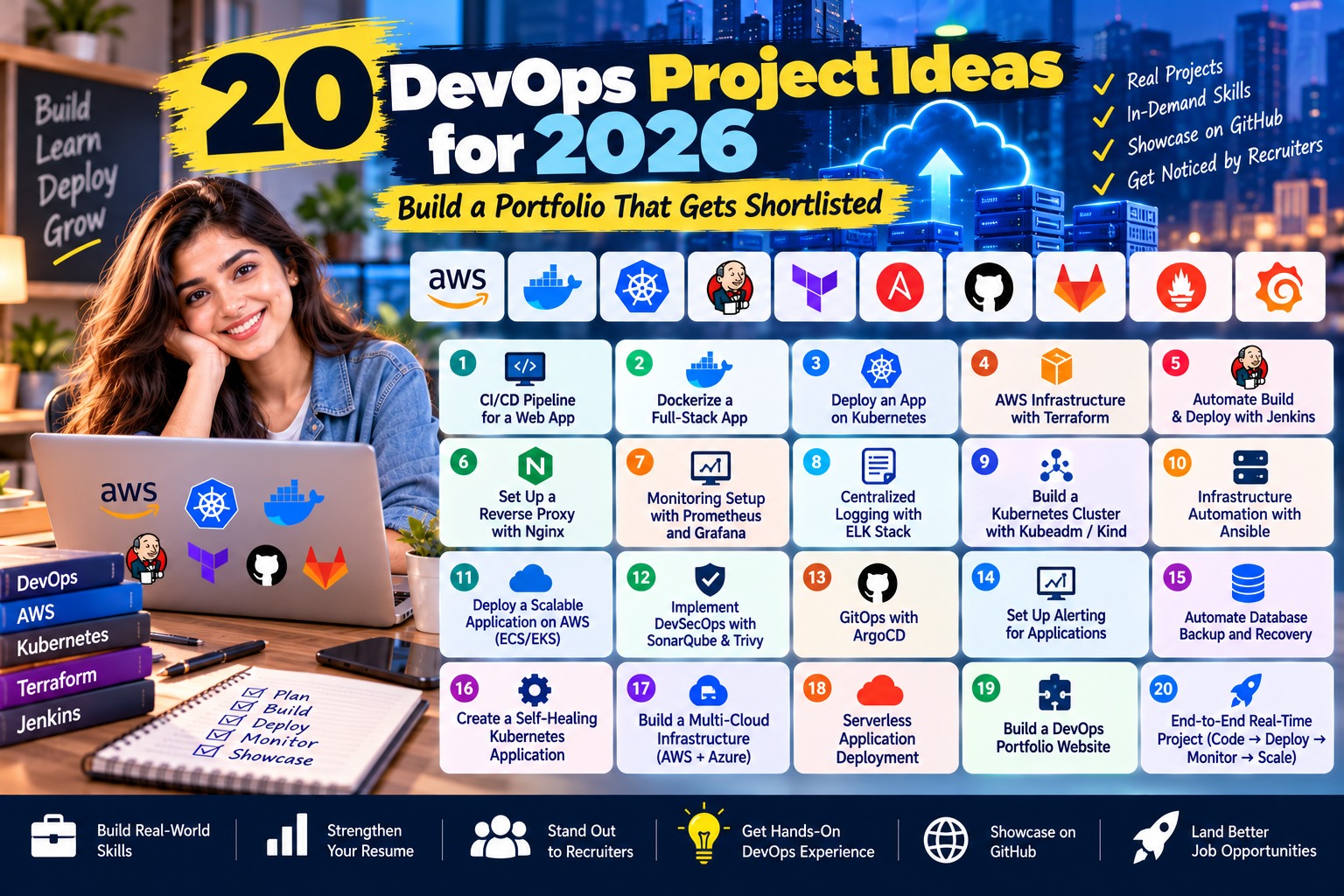
20 DevOps Project Ideas for 2026: Build a Portfolio That Gets Shortlisted
Quick answer: Take one small app and push it through the whole delivery cycle. Docker first, then a GitHub Actions pipeline, Terraform for the infra, Kubernetes for deployment, and after that monitoring, security scans and GitOps. If all 20 projects below run on that same app, you finish with one portfolio that hangs together, not twenty random repos.
Last batch, two of my students applied to the same Bengaluru company for a junior DevOps role. Both had cleared the AWS cert. Both had more or less the same tools on their resume. One got called. One didn’t. The difference was her GitHub: a pipeline with a green tick, a link that opened a working app, and a README section she’d titled “stuff that broke”. The other had fourteen repos — docker-practice, k8s-test, jenkins-demo2 — most with one commit.
That’s why this list is in order. Project 2 picks up where project 1 left off, same app, same repo, all the way to 20. For each one you get the stack, what to build, what’s worth pushing to GitHub, and something you can say in an interview.
New to DevOps? Start with our DevOps basics for beginners and keep the complete DevOps roadmap open alongside. For advice on which projects impress recruiters most and how to present them, see DevOps projects that actually get you hired.
One thing first: pick your app before anything else. A URL shortener works. So does a tiny expense tracker in Node or Python with Postgres. Don’t spend two weeks making the UI nice — no DevOps interviewer has ever asked about a frontend.
All 20 DevOps Projects at a Glance
Pick your level and start where it makes sense. Time estimates assume you’ve at least touched the tool before — learning it from zero? Roughly double them.
| # | Project | Level | Main tools | Time | Cost |
|---|---|---|---|---|---|
| 1 | Linux server setup and Bash automation | Beginner | Ubuntu, Bash, cron, AWS CLI | 4–6 hrs | ₹0 |
| 2 | Git workflow with branch protection | Beginner | Git, GitHub, pre-commit | 2–3 hrs | ₹0 |
| 3 | Containerise the app with Docker Compose | Beginner | Docker, Compose, Nginx, Postgres | 4–6 hrs | ₹0 |
| 4 | CI pipeline with GitHub Actions | Beginner | GitHub Actions, GHCR | 4–6 hrs | ₹0 |
| 5 | Deploy to a cloud VM with HTTPS | Beginner | EC2 or Azure VM, Nginx, Let’s Encrypt | 1 day | Free tier |
| 6 | Basic monitoring | Beginner | Prometheus, Grafana, Node Exporter | 1 day | ₹0 |
| 7 | Jenkins pipeline as code | Intermediate | Jenkins, Jenkinsfile | 1–2 days | ₹0 |
| 8 | Terraform AWS project | Intermediate | Terraform, AWS VPC, EC2, RDS | 2–3 days | Free tier |
| 9 | Configuration management | Intermediate | Ansible | 1–2 days | ₹0 |
| 10 | Kubernetes deployment with Helm | Intermediate | kind or Minikube, Helm | 2–3 days | ₹0 |
| 11 | Multi-environment pipeline | Intermediate | GitHub Actions environments, Helm | 2 days | ₹0 |
| 12 | Centralised logging | Intermediate | Loki + Grafana, or ELK | 1–2 days | ₹0 |
| 13 | Secrets management | Intermediate | Vault or External Secrets, gitleaks | 1–2 days | ₹0 |
| 14 | GitOps with Argo CD | Advanced | Argo CD, Helm | 2–3 days | ₹0 |
| 15 | DevSecOps pipeline | Advanced | Trivy, SonarQube, Syft, Cosign | 2–3 days | ₹0 |
| 16 | Blue-green and canary releases | Advanced | Argo Rollouts | 2 days | ₹0 |
| 17 | Autoscaling under load | Advanced | HPA, metrics-server, k6 | 1–2 days | ₹0 |
| 18 | Backup and disaster recovery drill | Advanced | Velero, S3 | 2 days | Low |
| 19 | Policy as code and cost control | Advanced | Kyverno, OpenCost, AWS Budgets | 2–3 days | Low |
| 20 | Capstone: mini developer platform with ChatOps | Advanced | Backstage, GitHub Actions, Slack bot | 1–2 weeks | Low |
What Do Recruiters Check in a DevOps Project?
Mostly four things: can they understand your README in under a minute, does the commit history look like real work, does the pipeline run, and did the app ever live anywhere other than your laptop. The number of tools matters much less than whether they talk to each other.
The README, in under a minute
Put a diagram at the top (Excalidraw is fine) so the reviewer doesn’t have to scroll to understand what they’re looking at.
The commit history
Thirty small commits like “add healthcheck to compose file” read as real work. One giant “initial commit” with 4,000 lines reads as copy-paste.
The status badge
Green means it still works today. A red badge is worse than none — it looks abandoned.
Proof it ran somewhere
A live link is best. If you can’t keep a server up, a screenshot or short screen recording is fine.
A “problems I hit” section
Why the container kept restarting, what you checked, what it turned out to be. Interviewers read this first.
Free DevOps Lab Setup: Build Without Spending Money
Sixteen of the twenty can be done on your laptop for zero rupees. Only projects 5, 8, 18 and 19 need a cloud account, and free credits cover most of that if you’re careful.
On the laptop: Docker Desktop (or Podman), kind or Minikube for local Kubernetes, VS Code, Git and a GitHub account. 8 GB RAM is survivable; 16 GB is a lot more comfortable once Kubernetes, Prometheus and Grafana are all up at once.
For cloud: AWS reworked its free tier in July 2025 — new accounts get $100 in credits at sign-up and can earn up to $100 more by using services like EC2, running for six months or until credits finish. Azure and GCP have their own offers.
The warning: set a budget alert on day one (AWS Budgets can mail you once spend crosses ₹100), and run terraform destroy before you shut the laptop. A NAT gateway you forgot about keeps billing every hour whether you’re asleep or not. Keep the whole series in one GitHub org or monorepo so the story is easy to follow.
Beginner DevOps Projects (1–6)
Linux, Git, containers, CI, one real deploy, basic monitoring. Pretty much every DevOps JD assumes you know these. Finish all six properly and you’re already ahead of most fresher profiles.
1. Linux Server Setup and Bash Automation
Stack: Ubuntu VM (local or EC2), Bash, cron, AWS CLI
Everything runs on Linux in the end, and the first technical round usually checks it. Make a non-root user, set up SSH keys and switch off password login. Write a health-check script that reports disk usage, memory, and whether your app’s port is responding. Add log rotation, and a nightly Postgres dump via cron that goes up to an S3 bucket.
Interview angle: “What happens if the backup fails at 2 in the night?” Talk about exit codes and how you’d get alerted — mail or Slack.
2. Git Workflow with Branch Protection
Stack: Git, GitHub, pre-commit
A small project, but don’t skip it — it shows you’ve worked like you’re in a team. Lock main so nothing merges without a PR and a passing check. Add a PR template, a CODEOWNERS file, and a pre-commit hook that lints before each commit. Two lines in the README on why you chose trunk-based over GitFlow (or the reverse).
Interview angle: Which branching model you pick doesn’t matter. Having a reason does.
3. Containerise the App with Docker Compose
Stack: Docker, Docker Compose, Nginx, Postgres
Write a multi-stage Dockerfile — one stage that builds, a slim one that runs. Run as a non-root user, add a HEALTHCHECK, and a .dockerignore so node_modules and .git stay out of the image. One Compose file brings up the app, Postgres and Nginx together.
Interview angle: Record the image size before and after multi-stage. Full Node base is often near 1 GB; slim with multi-stage, under 200 MB. That comparison is a ready-made resume line.
Guide: step-by-step Docker tutorial.
4. CI Pipeline with GitHub Actions
Stack: GitHub Actions, GitHub Container Registry (GHCR)
On every push it should lint, run tests, build the image, tag it with the commit SHA and push to GHCR. Turn on dependency caching and note how many minutes you saved.
Interview angle: Why SHA and not latest? Because with the SHA you can always trace a running image back to the exact commit.
5. Deploy to a Cloud VM with Nginx and HTTPS
Stack: EC2 or Azure VM, Nginx, Let’s Encrypt (Certbot)
Small VM. Security group with just 22, 80 and 443 open. Pull the image from GHCR, put Nginx in front as a reverse proxy, point a domain at it, and get HTTPS through Certbot. Then make merges to main deploy here automatically over SSH.
Interview angle: This is the first link you can actually send to a recruiter.
6. Basic Monitoring with Prometheus and Grafana
Stack: Prometheus, Node Exporter, Grafana
Node Exporter for the server, a /metrics endpoint on the app for app-level stats. One Grafana dashboard: CPU, memory, request rate, error rate. Then one alert rule — error rate high for five minutes is a decent first one. Trigger it yourself, deliberately.
Interview angle: An alert you’ve never seen fire is just a guess.
Stuck anywhere in 1 to 6? Come to our free demo class and a mentor will go through your repo with you, live.
Intermediate DevOps Projects (7–13)
Here’s where you stop doing things by hand. Infra turns into code, servers configure themselves, the app moves to Kubernetes. This is roughly what Indian JDs asking for 1 to 3 years are describing.
7. Jenkins Pipeline as Code
Stack: Jenkins (inside Docker), Jenkinsfile, a build agent
Startups mostly use GitHub Actions, but big service companies and banks in India still run Jenkins and ask about it. Take the project 4 pipeline and redo it as a declarative Jenkinsfile, checkout through deploy. Builds run on a separate agent, not the controller.
Interview angle: Know why builds shouldn’t run on the controller. It comes up more than you’d think.
Guide: Jenkins pipeline tutorial.
8. Terraform AWS Project
Stack: Terraform, AWS (VPC, subnets, EC2, RDS, security groups)
If I had to pick one intermediate project that convinces interviewers most, it’s this — you can’t fake Terraform. Split it into modules: network, compute, database. Keep state remotely in S3 with locking. Different .tfvars for dev and prod. Then a GitHub Actions job that runs terraform plan on every PR and drops the output in as a comment.
Interview angle: Remote state confuses people; be able to explain it. And yes — terraform destroy.
Guide: Terraform guide.
9. Configuration Management with Ansible
Stack: Ansible
Terraform made the servers. Ansible sets them up. Write roles to install Docker, add users, tighten SSH and deploy the app. Then run the same playbook again — if you wrote it right, the second run changes nothing.
Interview angle: That’s idempotency. Explain it in one simple line, because it does get asked.
Guide: Ansible tutorial.
10. Kubernetes Deployment with Helm
Stack: kind or Minikube (EKS or AKS if you like), kubectl, Helm
Deployment, Service, Ingress, ConfigMap. Readiness and liveness probes. CPU and memory requests and limits. Postgres as a StatefulSet or a managed DB. Wrap it all in a Helm chart with a values.yaml. Then break it on purpose: wrong image tag for ImagePullBackOff, a tiny memory limit for OOMKilled.
Interview angle: Half the Kubernetes questions in interviews are secretly debugging questions.
Guide: Kubernetes guide.
11. Multi-Environment Pipeline (Dev, Staging, Prod)
Stack: GitHub Actions environments, Helm values per environment
Three namespaces, one values file each. Merge to main goes to dev by itself, then staging, then it waits for a human to approve before prod.
Interview angle: Build the image once, promote that same image everywhere. If you rebuild for prod, prod is running something nobody tested.
12. Centralised Logging
Stack: Loki + Grafana Alloy + Grafana, or Elasticsearch + Logstash + Kibana
Change the app to log in structured JSON. Ship it to Loki and search it from the same Grafana as project 6. Save one query that pulls every failed request for a given user ID.
Interview angle: On an 8 GB machine go with Loki. ELK will happily take all your RAM.
13. Secrets Management
Stack: HashiCorp Vault, or External Secrets Operator with AWS Secrets Manager; gitleaks
Hunt through the repo for every password, API key and DB URL. Move them into a secrets manager and have the pods read them at runtime. Run gitleaks over the full Git history, not just the latest commit. Found an old key? Rotate it — deleting the line doesn’t help, it’s still in history.
Interview angle: Put the clean gitleaks scan in your README.
Advanced DevOps Projects (14–20)
Closer to what platform teams actually spend their week on in 2026. GitOps, supply-chain security, zero-downtime releases, disaster recovery, cost control. You don’t need all seven — two or three done really well and you’ll stand out among 2 to 5 year candidates.
14. GitOps with Argo CD
Stack: Argo CD, Helm, a separate config repo
Two repos: app code in one, Kubernetes config in the other. CI builds the image and bumps the tag in the config repo. Argo CD watches that repo and keeps the cluster matching it. Change the replica count manually with kubectl and watch Argo CD put it back.
Interview angle: How would you roll back? Revert the commit in the config repo. That’s it.
Guide: GitOps with Argo CD tutorial.
15. DevSecOps Pipeline
Stack: Trivy, SonarQube (or Semgrep), gitleaks, Syft, Cosign
Scan the code with SonarQube or Semgrep. Scan the image with Trivy and fail the build on anything CRITICAL. Generate an SBOM with Syft and keep it alongside the image. Sign the image with Cosign and verify the signature before anything deploys.
Interview angle: Count vulnerabilities before and after switching to a slimmer base image. That before/after is one of the strongest resume lines.
16. Blue-Green and Canary Releases
Stack: Argo Rollouts (or NGINX Ingress traffic weights)
Swap the Deployment for a Rollout. Canary: 10% of traffic to the new version, check the error rate in Prometheus, go to 50, then 100. Then push a broken version and let the rollout abort and roll back by itself.
Interview angle: Senior interviews ask about zero-downtime releases a lot. Now you’ll have done one.
17. Autoscaling Under Load
Stack: Kubernetes Horizontal Pod Autoscaler, metrics-server, k6 or Locust
HPA scaling on CPU at 60%. A k6 test that ramps from 10 to 500 virtual users. Watch pods scale up and come back down. Note three numbers: requests per second, p95 latency, max pod count.
Interview angle: Projects with actual numbers in them just sound more real.
18. Backup and Disaster Recovery Drill
Stack: Velero, S3, database snapshots
Velero for the namespace, scheduled snapshots for the DB. Then delete the namespace — on purpose. Restore it and time the whole thing. Data you lost is your RPO, downtime is your RTO.
Interview angle: Very few candidates have actually tested a restore, and interviewers know it.
19. Policy as Code and Cost Control
Stack: Kyverno (or OPA Gatekeeper), OpenCost, AWS Budgets
Write policies that block pods with no resource limits, images from untrusted registries, and anything missing an owner tag. Install OpenCost to see what each namespace costs, set an AWS Budgets alert, and add a small monthly cost table to the README.
Interview angle: Cost awareness (FinOps) shows up in interviews regularly now.
20. Capstone: A Mini Developer Platform with ChatOps
Stack: Backstage (or a template repo), GitHub Actions, Argo CD, a Slack or Teams bot
Platform engineering is the biggest DevOps trend of 2026. Make a service template: a developer gives their service a name and gets a repo that already has the Dockerfile, pipeline, Helm chart, monitoring and the policies from project 19. Add a Slack command like /deploy my-service staging that runs the pipeline and posts the result back.
Interview angle: Best line: “A new developer can go from nothing to a deployed service in under fifteen minutes.” Then show them, live.
How to Showcase DevOps Projects on GitHub and Your Resume
Building it is half. The other half is making sure a busy person notices. Use the same README structure in every repo: what it does in one sentence, an architecture diagram, the tech stack, how to run it locally in three commands, screenshots or a live link, and “problems I hit and how I fixed them”.
Pin four to six repos, not twenty. Six solid repos make people assume there’s more; twenty half-done ones make them assume you never finish anything. Resume bullets should be action, tool, result with a number:
- Reduced Docker image size from 1.1 GB to 160 MB using multi-stage builds, cutting deploy time by about half.
- Built a GitHub Actions pipeline with caching that brought build time from 9 minutes to 3.
- Provisioned a three-tier AWS environment with modular Terraform and remote state, deployable from scratch in 12 minutes.
Use your own numbers, not these — the interviewer will ask how you got them. And post on LinkedIn: recruiters here check it more than GitHub. For interview prep, our DevOps interview questions list helps, and the DevOps salary in India guide shows what this pays.
DevOps Portfolio Mistakes That Make Projects Look Copied
- ✕Tutorial clones — original author’s name still in a config, or the same voting app half the internet has deployed. Use your own app.
- ✕Localhost only — get projects 5 and 10 deployed somewhere reachable, even for a day, and keep screenshots.
- ✕Secrets in commit history — do project 13, then rotate the key.
- ✕Pipelines with zero tests — even five unit tests and a lint step fix this.
- ✕Tool soup — fifteen logos in the README, nothing wired together. Fewer tools, connected properly.
- ✕Red badges — an abandoned repo with a failing pipeline. Fix it or archive it.
8-Week DevOps Project Plan
At 20 to 25 hours a week, all 20 projects fit in about two months. Full-time and only 10 hours a week? Make it 16 weeks — totally fine.
| Week | Projects | Focus |
|---|---|---|
| 1–2 | 1–5 | Linux, Git, Docker, CI, first deployment |
| 3 | 6–8 | Monitoring, Jenkins, Terraform |
| 4 | 9–10 | Ansible, Kubernetes with Helm |
| 5 | 11–13 | Multi-env pipeline, logging, secrets |
| 6 | 14–15 | GitOps, DevSecOps |
| 7 | 16–18 | Canary releases, autoscaling, disaster recovery |
| 8 | 19–20 | Policy and cost, capstone, README polish |
Want someone to review each project as you go? Our DevOps course builds 10+ of these in live weekend classes, and mentors review your own repos.
Frequently Asked Questions
What are the best DevOps projects for beginners?+
Start by putting a small app in Docker with Docker Compose. Then set up a CI pipeline in GitHub Actions and deploy the app to a cloud VM with HTTPS. Those three cover containers, automation and deployment, which nearly every entry-level DevOps job asks for.
How many DevOps projects should I put on my resume?+
Three to five good ones is enough. Try to cover different skills — say a CI/CD pipeline, Terraform, a Kubernetes deployment, and either monitoring or security. Depth and real numbers beat repo count every time.
Can I build DevOps projects without spending money on AWS?+
Yes. Most of them run free on your laptop with Docker and kind or Minikube. For the cloud ones, new AWS accounts get up to $200 in free-tier credits over six months. Just set a budget alert and run terraform destroy after each session.
Which DevOps project is best for a fresher interview?+
An end-to-end CI/CD project. Code goes to GitHub, gets tested, gets built into a Docker image and deploys on its own. With that one project you can answer most fresher questions on Git, Docker, pipelines and Linux from your own work.
Should I learn Jenkins or GitHub Actions in 2026?+
GitHub Actions first. It is simpler and startups use it a lot. Then Jenkins, because plenty of big service companies, banks and enterprises in India still run it and ask about it. The CI/CD ideas carry over between the two anyway.
Do I need to know coding to build DevOps projects?+
You do not need to be a developer, but you do need scripting. Decent Bash, some basic Python, and being able to read YAML and simple app code is enough for all 20 projects here.
How long does it take to build a job-ready DevOps portfolio?+
Around 8 weeks at 20 to 25 hours a week, or about 16 weeks at 10 hours a week next to a job. Four to six well-documented projects is usually enough to start applying.
Can I use these as a final-year engineering project?+
Yes. The capstone (project 20) on its own, or projects 10, 14 and 15 together, makes a solid B.Tech, BCA or MCA final-year project. Add a short report on the architecture, your test results and the problems you solved along the way.
Start With Project 1 Today
You don’t need all twenty planned out. You need one small app and a free afternoon. Set up the server, write the backup script, push it. Stick to the order, same app throughout, write down whatever breaks — by project 20 you’ll have real stories for interviews, and that’s what gets people hired.
About the author — Firoz Ahmed
Senior AWS DevOps Engineer · TCS (Fortune 500) · 8+ Years Experience
Firoz is a working DevOps engineer, not a full-time trainer. His day job is hands-on with multi-region AWS infrastructure — 38+ Java microservices on EKS, managed with Terraform, ArgoCD and Prometheus in production. He leads the DevOps and Cloud track at Shifttotech Academy, where he reviews students’ own project repos in live weekend batches. Connect on LinkedIn.
Want Your Repos Reviewed as You Build?
Our DevOps program builds 10+ of these projects in live weekend classes, with mentors reviewing your actual repos — not sample ones.
Book a Free Demo — Next Batch October 18, 2026