- New
n8n Tutorial for Beginners: Build Your First Workflow
 By ShiftToTech Academy
Published
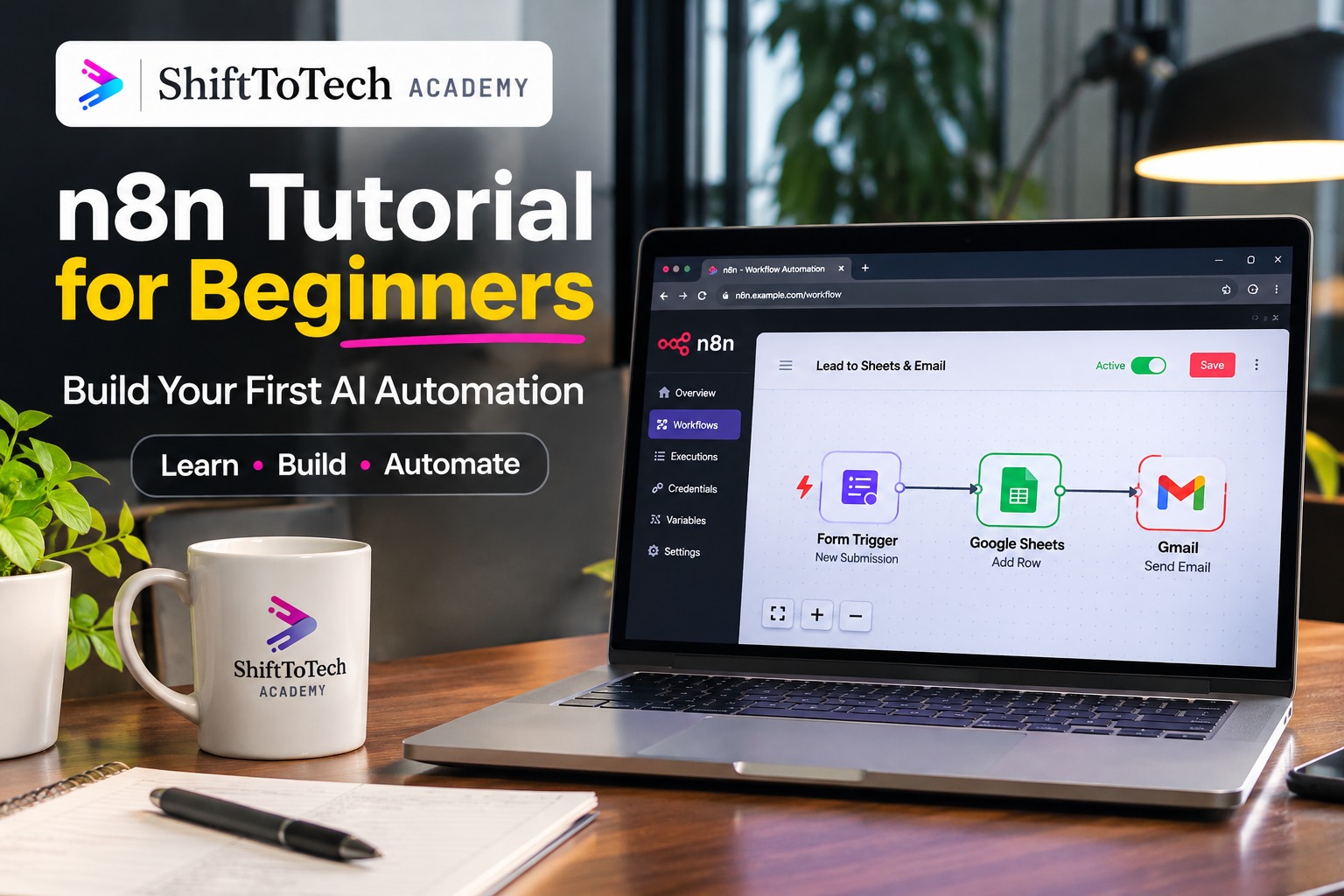
n8n Tutorial for Beginners: Build Your First Workflow Step by Step (2026)
Nobody opens an n8n tutorial for beginners hoping to memorise technical terms. Most people want to know something simpler: can this tool save me time, and can I learn to use it without becoming a programmer?
Imagine receiving enquiries through a website form. Every day, you open a spreadsheet, copy the new details and send an email to the person responsible for following up. It is repetitive work, and it can easily be automated.
That is where n8n comes in.
In this guide, you will learn what n8n is, how its workflows operate, how to set it up and how to build a practical automation using a form, Google Sheets and Gmail. You will also find free n8n learning resources, current pricing information and a learning path for moving from basic automation to AI-powered workflows.
If you want to move beyond tutorials and build practical automation projects with guidance, you can also explore the ShiftToTech AI Automation Course.
Quick Answer: What Is n8n?
n8n is a visual workflow automation platform that connects applications and services. You create workflows by connecting triggers and action nodes. For example, when someone submits a form, n8n can save the information in Google Sheets and send an email notification automatically. Beginners can build useful workflows without writing code, although programming knowledge becomes helpful for advanced use cases.
Key Takeaways
-
n8n connects applications and automates repetitive tasks.
-
A workflow usually starts with a trigger and continues through action nodes.
-
You can start learning through n8n's Cloud trial or its self-hosted Community Edition.
-
You can build your first automation using Google Forms-style input, Google Sheets and Gmail.
-
You do not need programming knowledge to begin.
-
Learning APIs, webhooks, JSON and AI integrations will help you build more advanced workflows.
1. What Is n8n and What Can You Do With It?
n8n is a workflow automation platform that allows different applications and services to communicate with one another.
Instead of manually moving information between tools, you create a workflow that performs those steps automatically.
For example:
-
A customer submits an enquiry.
-
The enquiry details are saved in Google Sheets.
-
An email notification is sent to your team.
-
The sales team receives the information and follows up.
These steps can run automatically whenever a new enquiry arrives.
You can use n8n for tasks such as:
-
Automatically collecting website leads.
-
Sending email notifications.
-
Updating spreadsheets.
-
Connecting business applications.
-
Generating reports.
-
Processing information using AI models.
-
Building AI agents that interact with external tools.
n8n is often compared with Zapier and Make. Its visual editor makes it accessible to beginners, while its self-hosting options, integrations and ability to use code provide flexibility for more advanced workflows.
Is n8n open source?
n8n describes its licensing model as fair-code. Its source code is available, and users can self-host the Community Edition, but the Sustainable Use License has specific restrictions.
For personal learning and many internal business uses, the Community Edition can be used without a software licence fee. However, commercial use cases such as offering hosted n8n as a service or allowing external customers to build workflows may require a commercial licence.
Read the official n8n licence documentation before using n8n in a commercial product or service.
2. Understand These Five Basic n8n Concepts
Before building your first workflow, understand these terms.
| Term | Meaning | Simple example |
|---|---|---|
| Workflow | A complete automation | An enquiry management process |
| Node | One step in a workflow | Sending an email |
| Trigger | The event that starts a workflow | A form submission |
| Execution | One complete run of a workflow | Processing one enquiry |
| Credentials | Saved authentication details | Connecting a Google account |
How does data move between nodes?
Each node receives data from the previous step and passes its output to the next step.
For example, when a customer submits a form, n8n receives information such as their name, email address and message.
The Google Sheets node uses that information to create a new row. The Gmail node then uses the same information to prepare a notification.
Understanding this data flow is one of the most important skills for learning n8n.
What are expressions in n8n?
Expressions allow you to use information generated by an earlier node.
Suppose your form contains a field called Name. Instead of manually entering a customer's name in an email, you can map the Name field into the email message.
n8n then uses the actual value received from the form whenever the workflow runs.
This is how workflows handle changing information without requiring you to edit them every time.
3. n8n Cloud vs Self-Hosted: Which Should Beginners Choose?
There are two common ways to get started with n8n.
n8n Cloud: n8n manages the hosting and infrastructure. You can create workflows through your browser without setting up a server.
Self-hosted n8n: You install and manage n8n on your own server or hosting environment. This gives you more control but also makes you responsible for maintenance, updates, backups and security.
n8n pricing comparison
The following information is based on n8n's official pricing page, checked on November 22, 2026.
| Option | Cost and limits | Best for |
|---|---|---|
| n8n Cloud free trial | 1,000 executions, 5 concurrent executions and a 180-second execution timeout | Trying n8n without installation |
| Cloud Starter | €20/month, billed annually; 2,500 executions/month | Beginners and small projects |
| Cloud Pro | €50/month, billed annually; 10,000 executions/month | More advanced individual and team workflows |
| Community Edition | No software licence fee; hosting and infrastructure costs apply | People comfortable managing their own server |
The Cloud trial includes a limited set of Pro features and does not require a credit card. The Community Edition is available as a self-hosted version.
n8n Cloud pricing is based on workflow executions, not the number of individual steps. One complete workflow run counts as one execution, regardless of how many nodes it contains.
Prices, plan features and limits can change. Check the official n8n pricing page before choosing a plan.
My recommendation: Start with n8n Cloud if you are completely new. You can focus on understanding workflows instead of spending your first day configuring a server.
If you later need more control and are comfortable managing infrastructure, explore the n8n hosting documentation.
4. Is There a Free n8n Course for Beginners?
Yes, you can learn n8n without paying for a course. There are free tutorials, documentation and community resources available online.
However, it is important to understand the difference between free learning resources and a structured training programme.
Free ways to learn n8n
1. Official n8n documentation
The official documentation explains nodes, workflows, integrations, hosting and other features.
Website: https://docs.n8n.io/
2. n8n Community Forum
You can explore questions, solutions and discussions from other n8n users.
Website: https://community.n8n.io/
3. n8n Community Edition
You can install and experiment with the self-hosted Community Edition without paying a software licence fee. You will still need suitable hosting and must follow the licence terms.
4. Free online tutorials
You can find beginner tutorials and practical workflow demonstrations on platforms such as YouTube and freeCodeCamp.
Free resources vs structured training
| Free learning resources | Structured training |
|---|---|
| Learn at your own pace | Follow a planned curriculum |
| Choose individual topics | Learn concepts in a sequence |
| Practise independently | Receive trainer guidance |
| Troubleshoot using documentation and forums | Get help with project difficulties |
| Build your own practice projects | Follow guided project work |
If you are searching for a free n8n course, start with the official documentation and Community Edition. They are useful ways to understand the platform before deciding whether you need structured training.
ShiftToTech's complete AI Automation Course is a paid, live training programme. It is not advertised as a free full course. You can, however, book a free introductory call and discuss the training before enrolling.
If you want guided learning covering n8n, AI workflows and agents, see the ShiftToTech AI Automation Course.
5. How to Set Up n8n
For your first workflow, the Cloud option is the simplest.
Option A: Start with n8n Cloud
-
Visit https://n8n.io/.
-
Select the option to start the Cloud trial.
-
Create your account.
-
Open the workflow editor.
-
Create a new workflow.
-
Add your first node to the canvas.
You do not need to install software on your computer for this option.
Option B: Install n8n on Your Own Server
If you prefer self-hosting, follow the official installation instructions.
You can find the supported installation methods and configuration guidance here:
Self-hosting requires you to manage the server, updates, backups, security and access to your instance. If you are new to automation, it is usually easier to learn the basics on Cloud first.
6. Build Your First n8n Workflow: Form to Google Sheets to Gmail
Let's create a simple automation.
Goal: Whenever someone submits a form, n8n should save the details in Google Sheets and send an email notification.
The workflow will look like this:
Form Trigger → Google Sheets → Gmail
Before starting
Create a Google Sheet with these three column headings in the first row:
| Name | Message | |
|---|---|---|
Keep the column names consistent because you will map these fields inside n8n.
Step 1: Add a Form Trigger
-
Open a new workflow.
-
Add a node and search for Form Trigger.
-
Configure the form title.
-
Add three fields:
-
Name
-
Email
-
Message
-
-
Save the node configuration.
The Form Trigger starts the workflow whenever someone submits the form.
Official documentation: https://docs.n8n.io/integrations/builtin/core-nodes/n8n-nodes-base.formtrigger/
Step 2: Test the Form
The Form Trigger provides a Test URL and a Production URL.
For the initial test:
-
Put the workflow into test/listening mode.
-
Open the Test URL in another browser tab.
-
Enter sample information.
-
Submit the form.
-
Return to the n8n editor.
-
Check whether the submitted values appear in the node's output.
The Test URL is for testing while building the workflow. The Production URL is used after you publish or activate the workflow.
Step 3: Connect Google Sheets
-
Add a Google Sheets node after the Form Trigger.
-
Select the operation that appends a row.
-
Connect your Google account using the credentials setup.
-
Select the Google spreadsheet.
-
Select the correct worksheet.
-
Map the form fields to the matching spreadsheet columns.
For example:
| Google Sheets column | Form field |
|---|---|
| Name | Name |
| Message | Message |
When a new form is submitted, the Google Sheets node should add a new row containing the submitted information.
Official documentation: https://docs.n8n.io/integrations/builtin/app-nodes/n8n-nodes-base.googleSheets/
Step 4: Add a Gmail Notification
Now add a Gmail node after Google Sheets.
-
Search for Gmail.
-
Select the action that sends an email.
-
Connect your Gmail account.
-
Enter the recipient email address.
-
Add a subject such as: New Website Enquiry.
-
Create the email message.
For example:
Subject: New Website Enquiry
Message:
A new enquiry has been received.
Name: [Map the Name field]
Email: [Map the Email field]
Message: [Map the Message field]
Use the data from the Form Trigger rather than manually entering example values.
Step 5: Test the Complete Workflow
Submit another sample form entry.
Check these three things:
-
The Form Trigger receives the submission.
-
Google Sheets creates a new row.
-
Gmail sends the notification.
Open the individual nodes and inspect their input and output if something does not work.
Step 6: Activate the Workflow
Once testing is successful:
-
Save the workflow.
-
Publish or activate it using the option available in your editor.
-
Open the Production URL.
-
Submit another test entry.
-
Check the Executions section to confirm that the live workflow ran successfully.
Remember that the Production URL is different from the Test URL. A workflow that works during testing still needs to be published or activated before you use its production endpoint.
You have now built a basic n8n automation.
7. What Else Can You Automate With n8n?
After completing your first workflow, try building a few more projects.
| Project | What it does | What you learn |
|---|---|---|
| Lead management | Saves website enquiries and sends alerts | Forms and integrations |
| Automated email response | Sends a confirmation after a submission | Email automation |
| Daily reporting | Collects information and sends a scheduled report | Schedule triggers |
| Payment reminders | Checks due dates and sends reminders | Conditions and date handling |
| Customer support workflow | Organises incoming messages | Data processing and branching |
| AI email assistant | Classifies messages and prepares draft replies | LLM integration |
Start with a workflow that solves a real problem. A small automation that works reliably is more useful than a complicated demonstration you cannot maintain.
8. How Long Does It Take to Learn n8n?
The time required depends on your previous experience and how regularly you practise.
Here is a simple beginner learning plan:
| Learning period | What to focus on | Expected outcome |
|---|---|---|
| Week 1 | Cloud setup, nodes, triggers and first workflow | Build a working form-to-Sheets automation |
| Week 2 | Conditions, expressions and data mapping | Handle different types of input |
| Week 3 | APIs, webhooks and scheduled workflows | Connect more applications |
| Week 4 | Build a project using your own requirements | Complete a useful automation project |
You do not need to memorise every node. Focus on understanding how information moves through a workflow and how to troubleshoot problems.
9. Common n8n Errors and How to Fix Them
Beginners often face a few common problems.
Google Sheets is not receiving data
Check the selected spreadsheet, worksheet and column names. Make sure the Google account has the required access.
Gmail is not sending notifications
Check your saved credentials, recipient address and Gmail node settings. Reconnect the account if its authentication has expired.
The Form Trigger is not working
Check whether you are using the correct URL. The Test URL is used during development, while the Production URL is used by the published or active workflow.
An expression is returning an empty value
Open the earlier node and inspect its output. Make sure the expression refers to the correct field and node.
A workflow is running more times than expected
Check the number of items being passed between nodes. A node may process multiple items, which can result in multiple downstream actions.
A useful debugging habit is to inspect the input and output of the node that failed instead of changing several workflow steps at once.
10. n8n vs Zapier vs Make: Which Should You Choose?
All three platforms help automate repetitive tasks, but they offer different approaches.
| Feature | n8n | Zapier | Make |
|---|---|---|---|
| Workflow builder | Visual node editor | Visual automation builder | Visual scenario builder |
| Hosting | Cloud and self-hosted | Cloud | Cloud |
| Learning curve | Moderate | Beginner-friendly | Moderate |
| Code flexibility | Supports custom code and APIs | Supports integrations and code steps | Supports advanced workflow logic |
| Suitable for | Flexible and technical automation projects | Quick business automations | Visual multi-step scenarios |
There is no single best option for everyone.
Zapier is a good starting point for people who want simple automations with minimal setup. Make offers a visual approach to multi-step scenarios. n8n is worth exploring if you want more control, self-hosting options and the flexibility to work with APIs and AI integrations.
Compare current plans before choosing a platform, because pricing and usage limits change.
11. How to Keep Your n8n Workflows Secure
Automation workflows often handle customer details, email accounts and business information. Security should be part of your learning from the beginning.
Follow these basic practices:
-
Use sample data while testing.
-
Store credentials in n8n's credentials system.
-
Never share API keys or passwords in screenshots.
-
Restrict access to your n8n instance.
-
Protect production webhook and form URLs.
-
Use secure hosting and keep your installation updated.
-
Maintain backups of important workflows and data.
-
Test workflows before allowing them to perform important actions.
If your workflow sends emails, processes payments or changes customer records, include appropriate checks before enabling it for real users.
12. What Should You Learn After n8n Basics?
Once you understand triggers, nodes and data mapping, you can move towards more advanced automation.
A useful learning sequence is:
-
APIs: Learn how applications exchange information.
-
Webhooks: Understand how external events trigger workflows.
-
JSON: Learn how structured data is represented.
-
Conditions and error handling: Build workflows that handle unexpected situations.
-
LLM integrations: Connect language models to automation workflows.
-
AI agents: Learn how AI systems can select and use tools to complete tasks.
-
RAG: Learn how AI applications retrieve information from documents and other data sources.
-
Deployment and monitoring: Understand how to operate workflows reliably.
For a deeper explanation of the next stage, read our guides on AI agents and how they work and AI Agent vs Agentic AI.
Moving from n8n Tutorials to Practical AI Automation
Learning individual nodes is only the beginning. Real automation projects often involve APIs, webhooks, data handling, AI models, error management and deployment.
ShiftToTech's AI Automation Course is a live, project-based programme covering:
-
Automation foundations, APIs, webhooks and JSON.
-
n8n and multi-application workflows.
-
LLM integrations using ChatGPT, Claude and Gemini APIs.
-
AI agents, tool design and memory.
-
RAG and vector databases.
-
Deployment, monitoring and a practical capstone project.
The programme is designed for learners who want to progress from basic workflow automation to building more complete AI-powered systems.
You can book a free introductory call to discuss the curriculum and see whether the training fits your goals. The introductory call is free; the full course is paid.
13. Frequently Asked Questions About n8n
1. What is n8n used for?
n8n is used to connect applications and automate repetitive tasks. Common examples include saving form submissions in spreadsheets, sending email notifications, synchronising data and connecting AI models to business workflows.
2. Is n8n free?
The self-hosted Community Edition is available without a software licence fee, subject to its licence terms. You still need to pay for your own server or hosting if you use one. n8n Cloud offers a limited free trial, followed by paid plans.
3. Is there a free n8n course for beginners?
Yes. You can learn through the official n8n documentation, community forum and free online tutorials. These resources allow you to practise independently. Structured instructor-led training is a separate option.
4. Is the ShiftToTech AI Automation Course free?
No. The complete ShiftToTech AI Automation Course is a paid programme. A free introductory call is available so prospective learners can discuss the curriculum and training.
5. Do I need coding knowledge to use n8n?
No. Beginners can create useful workflows by connecting nodes and configuring their settings. Knowledge of JavaScript, APIs and JSON becomes helpful when building more advanced workflows.
6. Is n8n open source?
n8n uses a fair-code licensing model and the Sustainable Use License for its Community Edition. It makes source code available, but the licence includes restrictions, so n8n does not describe itself as traditional open-source software.
7. Which is better for beginners: n8n or Zapier?
Zapier can be easier for very simple automations. n8n offers more flexibility through self-hosting, APIs and custom workflow logic. The better choice depends on your requirements.
8. How long does it take to learn n8n?
You may be able to build a first workflow in an evening. Becoming comfortable with integrations, expressions, conditions and error handling generally takes repeated practice over several weeks.
9. Can I build AI agents using n8n?
Yes. n8n provides AI-related nodes and integrations that can be used to build workflows involving language models and AI agents. Start by understanding basic workflows before moving to agent-based systems.
10. Can n8n connect to Google Sheets and WhatsApp?
n8n supports Google Sheets integration. WhatsApp automation is also possible, typically through an appropriate WhatsApp Business API integration and its required setup. Check the relevant provider's requirements and costs before building it.
Conclusion: Start Building With n8n
The best way to learn n8n is to build something small and useful.
Start with a form submission, save the information in Google Sheets and send yourself an email notification. Once that works, add conditions, connect more applications and experiment with APIs.
You do not need to understand every feature before getting started. Learn one concept, build one workflow and improve it as you gain experience.
If you want to take the next step from basic automation to AI workflows, agents and practical projects, explore the ShiftToTech AI Automation Course.
About ShiftToTech Academy
ShiftToTech Academy is the training brand of ShiftToTech Private Limited. We provide live online technology training in areas including AI, AI automation, DevOps, Cloud and Data Engineering.
Our learning approach focuses on practical concepts, guided training and project-based learning to help learners develop skills they can apply to real-world tasks.
Website: https://shifttotech.co.in/